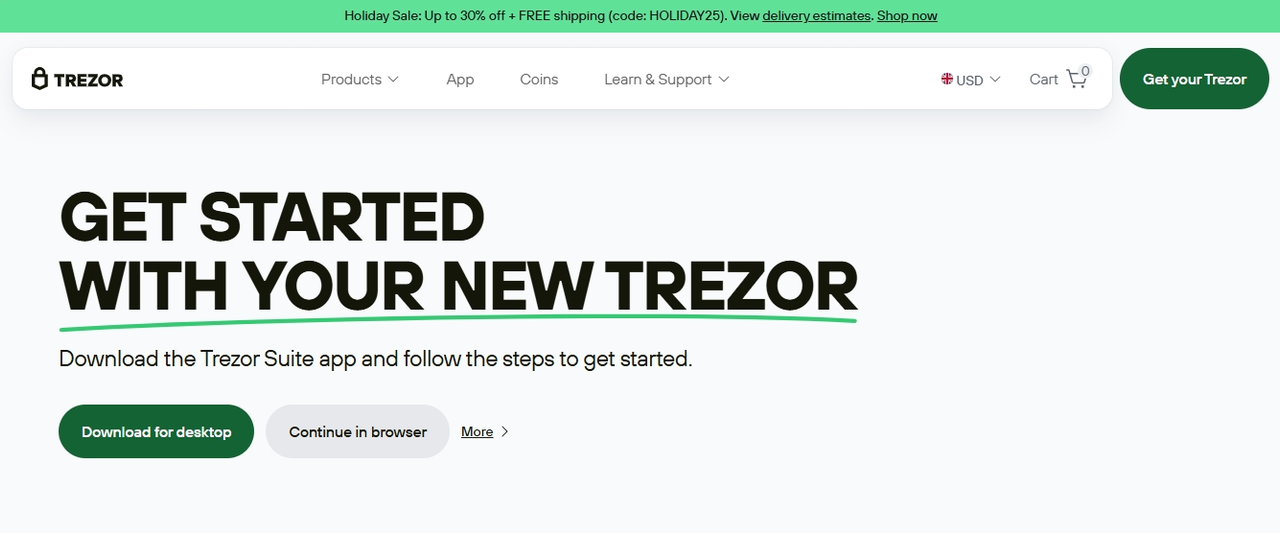
Trezor Login – Securely Access and Manage Your Trezor Wallet
Trezor Login is the official gateway for accessing your Trezor wallet and managing your cryptocurrency assets securely. Whether you are new to cryptocurrencies or an experienced user, logging into your Trezor account ensures safe management of your digital assets, device settings, and portfolio. With Trezor Login, you can interact with your Trezor hardware wallet while keeping your private keys offline and protected from cyber threats.
This guide provides a comprehensive overview of Trezor Login, including how to access your account, features, security best practices, troubleshooting, and tips for safely managing your crypto assets.
What Is Trezor Login?
Trezor Login is the official authentication portal for Trezor users, providing access to Trezor services and wallet management tools. It allows users to:
Connect and manage their Trezor hardware wallet
Access cryptocurrency portfolios
Send and receive crypto securely
Update device firmware
View and manage account settings
Unlike online wallets, Trezor Login does not store private keys on a server. Your private keys remain safely offline on your Trezor device, making it one of the most secure ways to manage cryptocurrency.
Why Trezor Login Is Important
In the cryptocurrency world, security is paramount. Trezor Login ensures that your access to the Trezor ecosystem is secure while providing an intuitive interface to manage your crypto. Key benefits include:
Secure Authentication – Only authorized users can access their Trezor wallet through official login channels.
Portfolio Management – Monitor and manage multiple cryptocurrency accounts from one interface.
Device Management – Easily register, update, or remove Trezor devices.
Access to Official Trezor Services – Safely download Trezor Suite, update firmware, and access support resources.
Fraud Prevention – Protects users from phishing attacks by guiding them to verified login pages.
Using Trezor Login reduces the risk of unauthorized access and ensures your crypto remains protected.
How to Access Trezor Login
Step 1: Go to the Official Trezor Website
Always navigate directly to https://trezor.io/start or https://suite.trezor.io to avoid phishing scams. Do not click on links from emails or third-party sources.
Step 2: Download Trezor Suite
Trezor Suite is the official application used to interact with your Trezor device. Available for Windows, macOS, Linux, and as a web app, it allows you to securely manage your portfolio and device settings. Always download Trezor Suite from the official website.
Step 3: Connect Your Trezor Device
Plug your Trezor hardware wallet into your computer using a USB cable. Trezor Login will detect your device and guide you through the connection process. If you are using Trezor Model T, you can also interact via the touchscreen for verification.
Step 4: Enter Your PIN
For added security, Trezor devices require a PIN to access your wallet. Enter your PIN directly on your device to unlock it. The PIN protects your wallet even if the device is physically lost or stolen.
Step 5: Verify Device Authenticity
Trezor Suite will perform a genuine check to verify that your hardware wallet is authentic. This ensures you are not using a counterfeit device and protects your assets from potential attacks.
Key Features of Trezor Login
Trezor Login provides several features designed to enhance security and usability for cryptocurrency management.
1. Portfolio Management
Once logged in, you can access a dashboard showing all your cryptocurrency balances. Features include:
Real-time portfolio value in your preferred currency
Historical performance charts
Transaction history for each asset
2. Send and Receive Cryptocurrency
Trezor Login allows secure transactions. Sending and receiving crypto requires verification on your Trezor device, ensuring private keys never leave the wallet.
3. Device Management
Through Trezor Login, you can manage your hardware wallet:
Update device firmware
Install apps for specific cryptocurrencies
Reset or recover devices
Register new devices to your account
4. Trezor Suite Integration
Trezor Login integrates seamlessly with Trezor Suite, allowing you to:
Access wallets from multiple devices
Manage multiple cryptocurrencies
Perform staking on supported assets
Monitor transaction fees and confirm blockchain transactions
5. Security Notifications
Trezor Login provides alerts for account activity, firmware updates, and potential security issues. Keeping notifications enabled ensures you are promptly informed of any unusual activity.
Security Best Practices for Trezor Login
Even with the strong security of Trezor devices, users must follow best practices to keep accounts secure:
Use a Strong PIN – A unique PIN protects your device from unauthorized access.
Enable Passphrase Feature – Optional passphrases add an extra layer of security to your wallet.
Verify Official URLs – Always access Trezor Login through official Trezor Suite or website URLs.
Never Share Recovery Seed – Your recovery seed is the only backup to your wallet; store it securely offline.
Enable Two-Factor Authentication (2FA) – If available for your account services, 2FA adds protection.
Monitor Account Activity – Regularly check for unauthorized actions or failed login attempts.
Common Issues with Trezor Login
Even experienced users may encounter login challenges. Here are common issues and solutions:
1. Device Not Recognized
If your Trezor device isn’t detected:
Check the USB connection and try a different port
Ensure Trezor Suite is up to date
Restart the application or computer
2. Forgotten PIN
If you forget your PIN, your wallet can be recovered using your recovery seed. It is critical to store the recovery seed offline and securely.
3. Recovery Seed Errors
Entering the wrong recovery seed during recovery will prevent wallet access. Always double-check the words and their order.
4. Phishing Attempts
Be cautious of emails, websites, or messages claiming to be Trezor. Only enter your recovery seed on the official Trezor device or Trezor Suite.
Trezor Login vs Trezor Suite
It is important to understand the distinction:
Trezor Login – The authentication process that verifies your access to your Trezor wallet and services.
Trezor Suite – The application used to manage your crypto assets, perform transactions, and interact with your Trezor hardware wallet.
Together, they provide a secure and convenient method to manage your cryptocurrency portfolio while keeping private keys offline.
Supported Cryptocurrencies
Trezor Login, via Trezor Suite, supports thousands of cryptocurrencies including:
Bitcoin (BTC)
Ethereum (ETH) and ERC-20 tokens
Litecoin (LTC)
Cardano (ADA)
Ripple (XRP)
Polkadot (DOT)
Stellar (XLM)
Tezos (XTZ)
New cryptocurrencies are added regularly through Trezor Suite updates, allowing you to manage emerging assets securely.
Tips for Safe Trezor Login Usage
To maximize security and usability:
Bookmark official Trezor Login and Suite URLs
Always use a secure, private network when logging in
Enable PIN and optional passphrase features
Regularly update device firmware and Trezor Suite
Store your recovery seed in a secure offline location
Monitor notifications and alerts for unusual account activity
Following these tips ensures that your Trezor wallet and Login experience are as secure as possible.
Conclusion
Trezor Login is the secure entry point to accessing and managing your Trezor hardware wallet and cryptocurrency portfolio. By providing a secure authentication process, Trezor Login allows you to connect your hardware device, manage accounts, send and receive crypto, and access Trezor services safely.
Combining Trezor Login with Trezor Suite ensures comprehensive control over your digital assets while keeping private keys offline and protected. By following official login procedures, enabling PIN and passphrase security features, and practicing good account management habits, you can confidently manage and secure your cryptocurrency portfolio.
Trezor Login and Trezor Suite together offer one of the safest and most reliable ways to store, manage, and grow your digital assets, providing peace of mind for both new and experienced cryptocurrency users.